

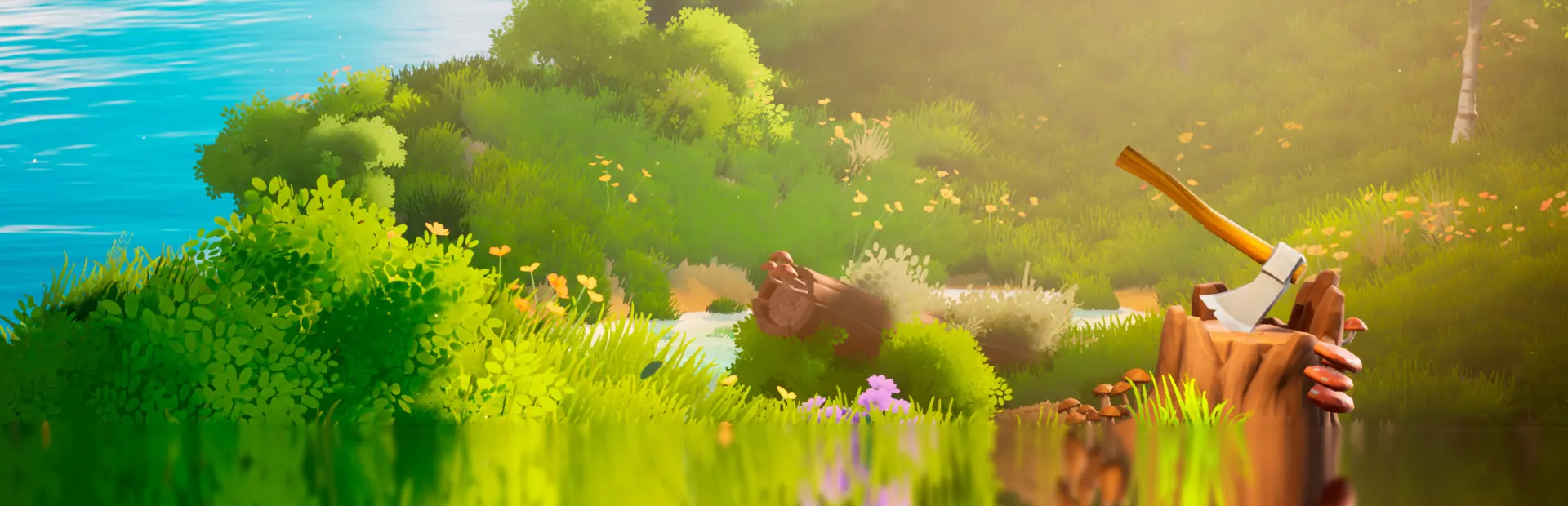
A Game About Chopping Trees
A Game About Chopping Trees Free Download - Overview
When it's time to move on to a new stretch of woodland, hop aboard your trusty handcar. Pump the levers and glide along the rails through serene, peaceful landscapes. The journey between forests is just as relaxing as the work itself. Simple. Satisfying. Entirely at your own pace.
The forest is a living cycle, and you can help it thrive. After clearing an area, take a moment to give back by planting new saplings in the spaces you've created. Watch your efforts take root as tiny sprouts gradually grow into towering trees once again. This gentle cycle of reforestation keeps the woodland lush and vibrant, allowing you to shape and nurture your own ever-changing forest.
Screenshots
System Requirements
- OS Windows 10
- Processor Quad-core Intel or AMD, 2.5 GHz or faster
- Memory 8 GB RAM
- Graphics NVIDIA GTX 1660 or Radeon RX 5500 XT
- DirectX Version 11
- Network Broadband Internet connection
- Storage 4 GB available space
- Additional Notes Requires a 64-bit processor and operating system
- OS Windows 10
- Processor Quad-core Intel or AMD, 2.5 GHz or faster
- Memory 16 GB RAM
- Graphics NVIDIA RTX 3060 or AMD Radeon RX 6600 XT
- DirectX Version 12
- Network Broadband Internet connection
- Storage 4 GB available space
- Additional Notes Requires a 64-bit processor and operating system
How to Install
Download A Game About Chopping Trees (2.98 GB) using the download button.
Extract the archive with WinRAR or 7-Zip.
Open the extracted game folder and run
ChoppingTrees.exe.
Game Data & Settings
Change Language: Edit the file located at
steam_settings/Configs.user.ini.Save Data Location:
%USERPROFILE%/AppData/Local/ChoppingTrees/Saved/SaveGames
First, complete the installation of A Game About Chopping Trees.
Download the OnlineFix file.
Open the OnlineFix archive with WinRAR or 7-Zip.
Extract the files and folders inside the archive into the main folder of A Game About Chopping Trees, keeping the folder structure intact.
Use the main folder you extracted the game into.
If you are asked to merge or replace files, choose Yes / Replace.
When it is done, Sign in Steam Account and run
ChoppingTrees.exe.
You might also like




Comments
Sign in to join the conversation.
No comments yet. Be the first to say something.