

Abandoned Gameshop
Abandoned Gameshop Free Download - Overview
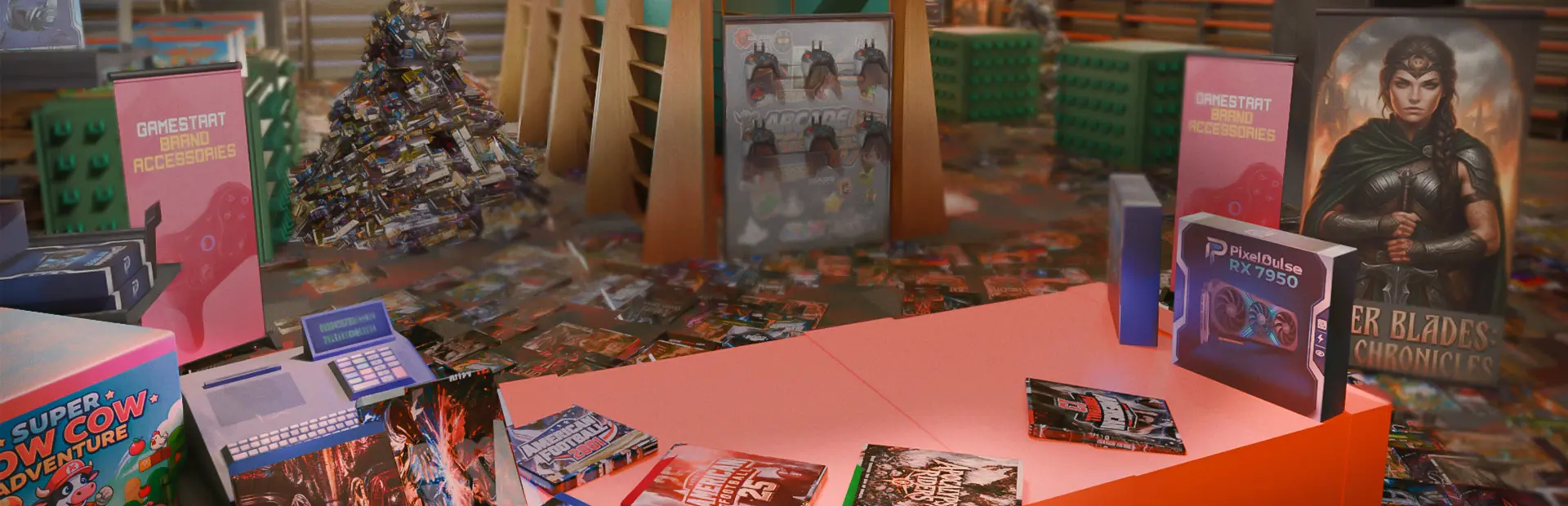
The year is 200X. GameStart, once the sacred sanctuary for midnight launches, trade-ins, and floor-to-ceiling physical game cases, was abruptly abandoned. The store was left in absolute mayhem, thousands of iconic game cases lie strewn across the worn patterned carpet.
The corporate overlords have left one directive: "Put every single game back on the shelves before the Grand Re-Opening!" Grab a handcart, crank up the low-fi soundtrack, and dive into a nostalgic mountain of parody physical media.
Every case on the floor belongs to a specific ecosystem and category. Inspect the spine, title, and cover art to accurately shelve each copy:
Platforms: Distinguish between PC, Nindo 10, XCube, and FunStation.
Genres: Identify whether a title is an Action/Shooter, RPG, Racing, or Platformer using clues from the name and box art.
Discover hundreds of spoof game covers that pay homage to iconic gaming history.
Pure Nostalgic Vibes: Experience a cozy, low-stress trip back to early-2000s game store culture.
Over 4,000+ Cases to Sort: From jewel cases to double-disc special editions and retro cartridges.
4 Major Platforms to Manage: Nindo 10, XCube, FunStation, PC, and Retro Cartridges.
Visual & Acoustic Satisfaction: Watch clutter disappear as empty wall displays fill up with pristine rows, triggering dynamic, calming BGM transitions.
Play at Your Own Pace: No timers, no fail states - just pure, satisfying organization bliss.
Screenshots
System Requirements
- OS Windows 8
- Processor Intel Core i3-6100 or AMD Ryzen 3 1200
- Memory 2 GB RAM
- Graphics NVIDIA GeForce GTX 750 Ti
- Storage 2 GB available space
- OS Windows 11 64-bit
- Processor Intel Core i5-8400 or AMD Ryzen 5 2600
- Memory 4 GB RAM
- Graphics NVIDIA GeForce GTX 1060
- Storage 3 GB available space
How to Install
Download Abandoned Gameshop (1.05 GB) using the download button.
Extract the archive with WinRAR or 7-Zip.
Open the extracted game folder and run
Abandoned Gameshop.exe.
Game Data & Settings
Change Language: Edit the file located at
steam_settings/Configs.user.ini.
First, complete the installation of Abandoned Gameshop.
Download the OnlineFix file.
Open the OnlineFix archive with WinRAR or 7-Zip.
Extract the files and folders inside the archive into the main folder of Abandoned Gameshop, keeping the folder structure intact.
Use the main folder you extracted the game into.
If you are asked to merge or replace files, choose Yes / Replace.
When it is done, Sign in Steam Account and run
Abandoned Gameshop.exe.
You might also like




Comments
Sign in to join the conversation.
No comments yet. Be the first to say something.