

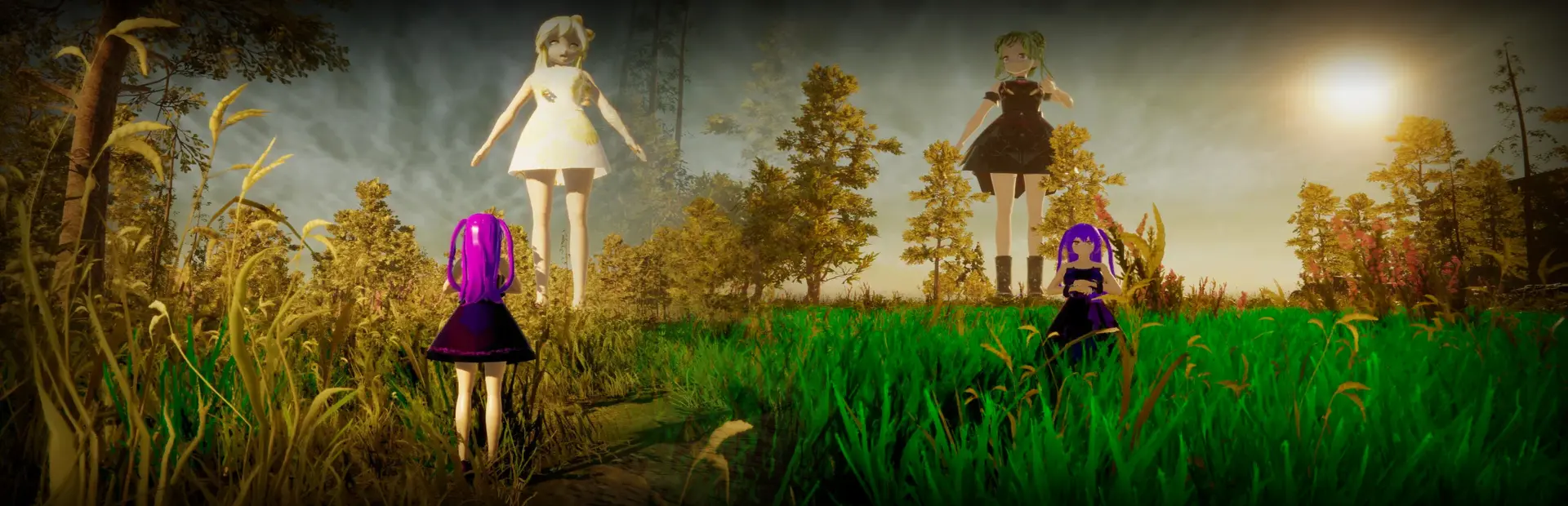
Ah Spare Me Giantess
Ah Spare Me Giantess Free Download - Overview
Welcome to the arena, where your skills will be put to the ultimate test. Here, every battle is a fight for survival. If you don't want to end up inside the belly of the opposing team's boss, you must stay sharp—they are hunting you and your entire team.
If you manage to win, don't get cocky just yet. Rack up the highest score possible and keep fighting for your life. Whether in Battle Royale or our new Survival modes, you must keep moving until the very last second. As long as you are on the field, you are a prime target for the hungry boss waiting to feast.
Win or be devoured. Choose your team, dominate the arena, and make sure you aren't served as their next meal.
Battle Royale (Online): Outlast the competition and fight for the highest global score.
PvP (Online): Major optimizations and improvements to team combat stability.
Survival (1vs1 - Semi-Online/Bot): Intense face-to-face combat between you and an enemy bot.
Survival (4vs5 - Semi-Online/Bot): Team-based survival featuring 4 bots and 1 player against 5 enemy bots.
NEW CHARACTERS (6)
CUSTOMIZATION SYSTEM
Freely customize your character's hairstyles, outfits, and magical aura colors.
New dynamic time-of-day system (Day, Afternoon, Night).
Gacha: New draw system to obtain exclusive characters and items.
Leaderboard: Competitive global rankings for all game modes.
Technical Improvements: Comprehensive bug fixes for a smoother gaming experience.
Screenshots
System Requirements
- OS Windows 10 64-bit
- Processor Intel Core i5 2rd Generation (e.g. i5-2400) or equivalent
- Graphics NVIDIA GeForce RX 580 Ti or equivalent
- DirectX Version 11
- Storage 6 GB available space
- OS Windows 10 64-bit
- Processor Intel Core i5 9th Generation or higher
- Graphics NVIDIA GeForce RTX 3060 or equivalent
- DirectX Version 11
- Storage 6 GB available space
How to Install
Download Ah Spare Me Giantess (965 MB) using the download button.
Extract the archive with WinRAR or 7-Zip.
Open the extracted game folder, Sign in Steam Account and run
Ah Spare Me Giantess.exe.
Game Data & Settings
Change Language: Edit the file located at
SteamFix.ini.
You might also like





Comments
Sign in to join the conversation.
No comments yet. Be the first to say something.