

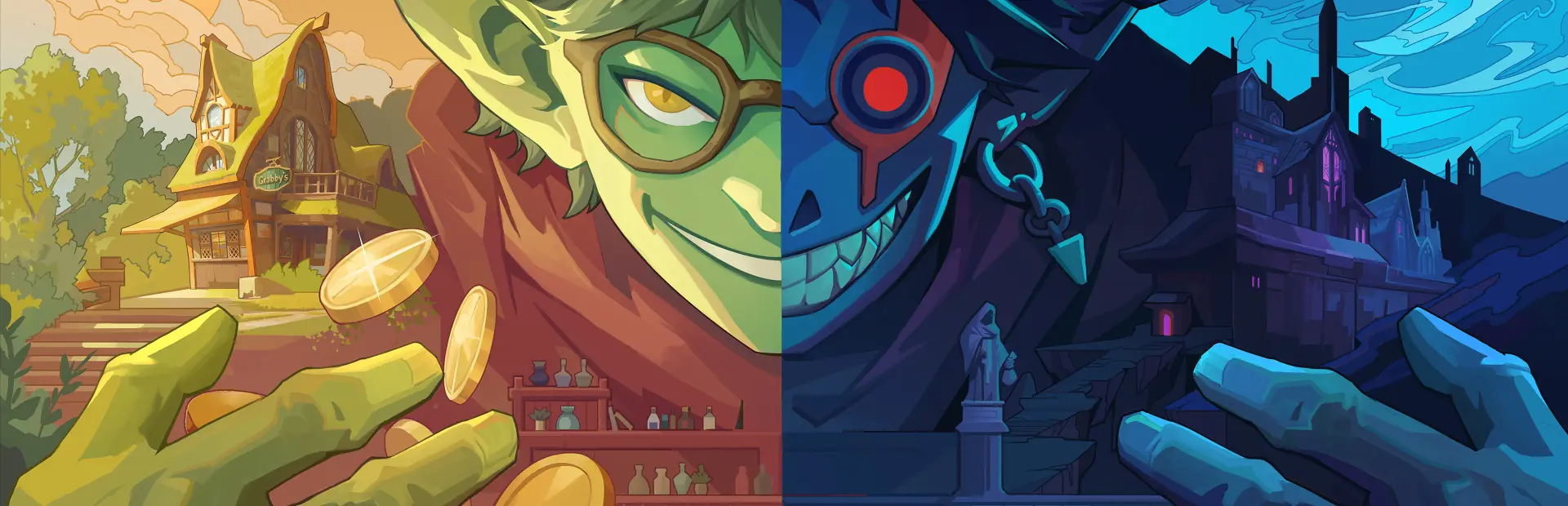
Goblin Vyke: The Thief Tycoon
Goblin Vyke: The Thief Tycoon Free Download - Overview
The Golden Dungeon is fraught with danger, and as a small, frail goblin, you can’t win a straight fight against any foe—but you have other choices. Throw Coinbeetles that turn into bells to attract enemies, set Nap Traps to put guards to sleep, use Smoke Mimics to cover your escape. Use a variety of abilities and items to outsmart and “kite” your enemies.
Deadly dungeon traps? Turn the tables by luring enemies into the traps, setting up a lethal game of hide-and-seek. Explore hidden areas and discover untold treasures. Every path might lead to unexpected surprises—or fatal dangers. Steal weapons from enemies’ hands, grab loot from treasure chests, and complete a spectacular theft right under the nose of Death!
Upgrading your talent tree doesn’t just enhance your exploration and survival abilities—it also unlocks different playstyles! Go for the Agile Thief build: use your Grappling Hook to escape pursuits and Shadow Rewind to return to position, completely throwing enemies off. Prefer the Cunning Tactician build? Toss Coinbeetles to manipulate enemies’ movements or Play Dead until the coast is clear. Or choose the Aggressive Brute build: leap from heights to Stun Stomp enemies, or even stand in front of a guard and snatch their equipment with a Steal Parry!
Screenshots
System Requirements
- OS Windows 7 64 bit
- Processor Intel Core i3 Dual Core
- Memory 8 GB RAM
- Graphics NVIDIA Geforce GTs 450 /AMD Radeon HD5570
- DirectX Version 11
- Storage 1 GB available space
- Sound Card Windows Compatible Audio Device
- OS Windows 10 64 bit
- Processor Intel Core i5 -i7 Quad core
- Memory 16 GB RAM
- Graphics NVIDIA Geforce GTX 750Ti/ AMD Radeon R9 270x
- DirectX Version 11
- Storage 5 GB available space
- Sound Card Windows Compatible Audio Device
How to Install
Download Goblin Vyke: The Thief Tycoon (244 MB) using the download button.
Extract the archive with WinRAR or 7-Zip.
Open the extracted game folder and run
GoblinVyke.exe.
Game Data & Settings
Change Language: Edit the file located at
steam_settings/Configs.user.ini.Save Data Location:
%USERPROFILE%/AppData/LocalLow/ArtThieves/GoblinVyke
You might also like





Comments
Sign in to join the conversation.
No comments yet. Be the first to say something.