

Microlandia
Microlandia Free Download - Overview
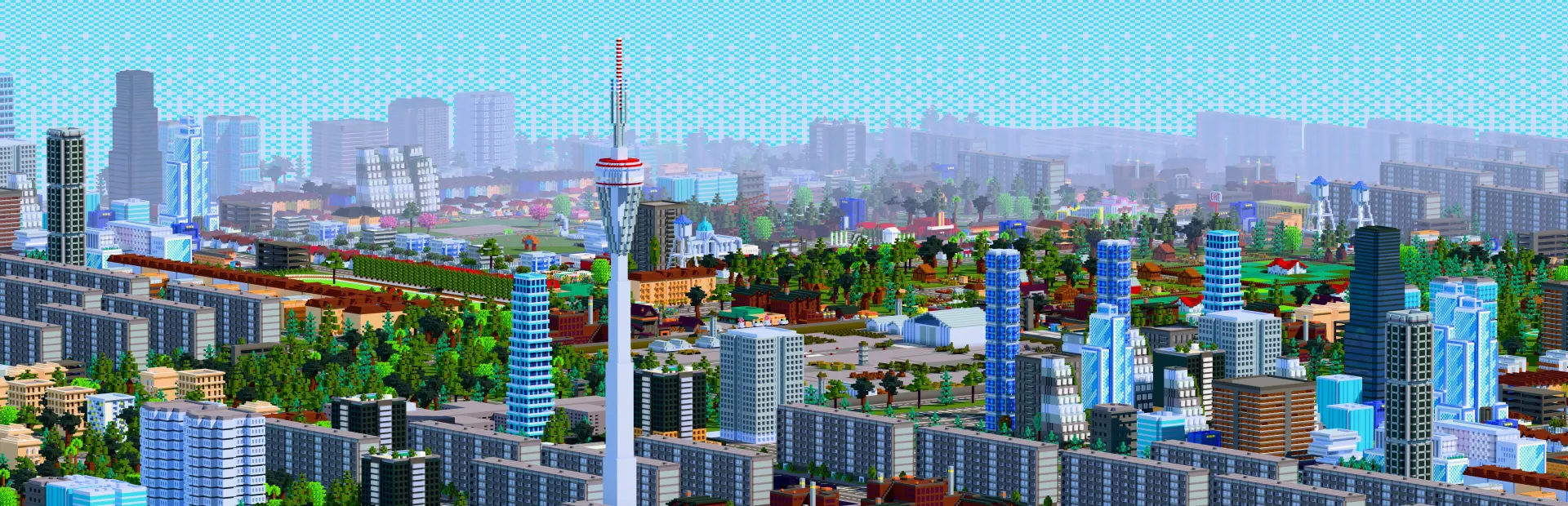
Plan a city where people will live and work. Lay down roads and a bus network. Build housing, businesses and public works of many types, each with its own functions, upsides and tradeoffs. All residents of your city are simulated one by one. No fake crowds, no statistical approximations. Each one holds a job at a real company, pays rent to a greedy landlord, and can get sick and need a hospital with real staffing and capacity. If they go broke and jobless for long enough, they consider a career in the criminal underworld. None of this is random: it is all side effects of your choices as mayor.
You set the rates for income, sales and corporate taxes. You can charge for business licenses, bus fares, parking and more. Raise them too high and the cost of living becomes unbearable. Lower them too far and you won't collect enough. Every decision matters and shapes your economy. And watch your approval rating: citizens vote, and you lose the game when they elect another mayor. A newspaper covers everything that happens in your city. Crime reports with real addresses. Exact figures. Every story emerges from what's actually happening in your city, and you will be blamed for all the bad news. Every five years, a random incident tests your planning: heatwaves, recessions, droughts and more.
Screenshots
System Requirements
- OS Windows 10 64-bit
- Processor Dual-core CPU, 2.0 GHz (Intel Core i3-4xxx / AMD equivalent or better)
- Memory 8 GB RAM
- Graphics Integrated graphics with OpenGL 3.3 support
- Storage 1 GB available space
- Additional Notes Requires a 64-bit processor and operating system
- OS Windows 11 64-bit
- Processor Quad-core CPU, 2.5 GHz (Intel Core i5-7xxx / AMD Ryzen 5 or better)
- Memory 8 GB RAM
- Graphics Dedicated GPU with 2GB VRAM
- Storage 1 GB available space
- Additional Notes Requires a 64-bit processor and operating system
How to Install
Download Microlandia (114 MB) using the download button.
Extract the archive with WinRAR or 7-Zip.
Open the extracted game folder and run
Microlandia.exe.
Game Data & Settings
Change Language: Edit the file located at
steam_settings/Configs.user.ini.Save Data Location:
%USERPROFILE%/AppData/Roaming/Microlandia/db
You might also like






Comments
Sign in to join the conversation.
No comments yet. Be the first to say something.