

Airport Control 27
Airport Control 27 Free Download - Overview
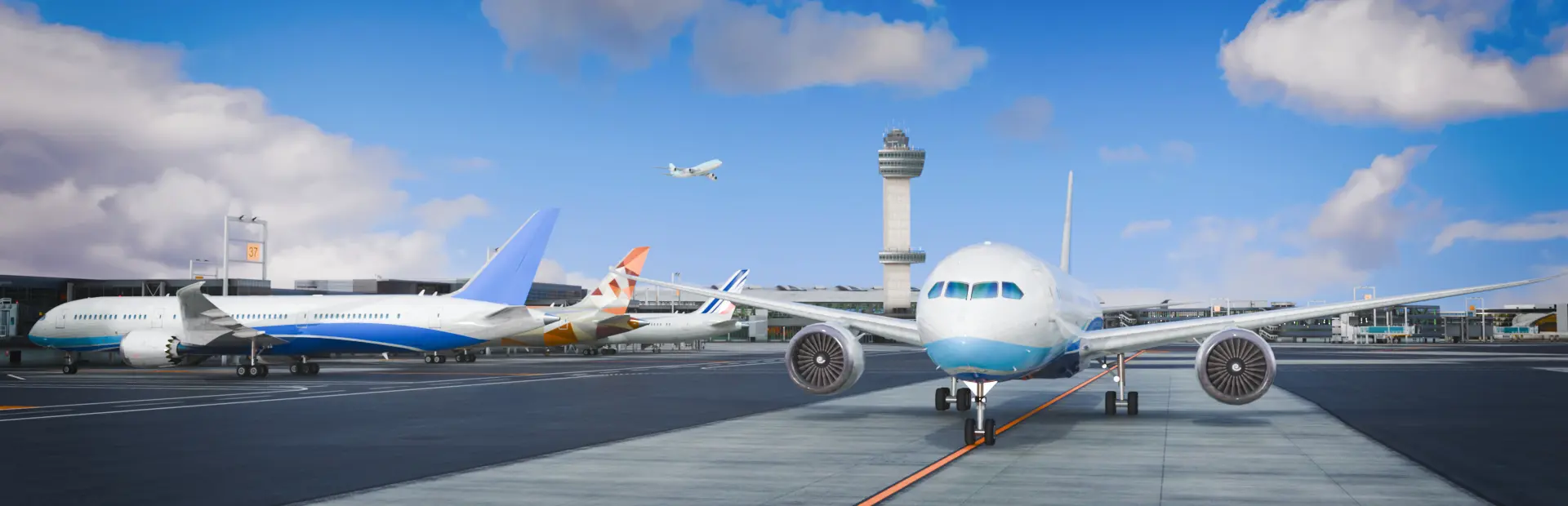
Airport Control 27 — A Brand-New 3D Air Traffic Control Simulator.
Here, you will take on the role of a dedicated air traffic controller, providing professional ATC services at airports around the world.
Experience flight-simulator-quality 3D airport scenery, packed with detail and realism.
Fully Animated Jet Bridges: Single and dual-bridge configurations with realistic aircraft docking.
Complete Airfield Lighting Systems: Approach lights, runway lights, and taxiway lights built to real-world standards.
Accurate Airport Markings: Taxiway markings, runway designators, and stand guidance lines faithfully reproduced from real-world airports.
we now includes four airports:
Jinan Yaoqiang International Airport
John F. Kennedy International Airport
Shenzhen Bao'an International Airport
Ronald Reagan Washington National Airport
Each airport features six levels as well as an Endless Mode. In Endless Mode, flight schedules are randomly generated.
Authentic air-to-ground communication procedures based on real-world aviation standards.
ATC instructions and pilot readbacks synchronized with your commands in real time.
Multiple pilot accents from around the world, with optional Chinese or English voice communications.
Regularly updated procedures based on real-world airport operations.
Authentic STARs, APPs, SIDs, altitude restrictions, and speed restrictions.
Runway usage restrictions, taxiway pavement limitations, wingspan restrictions, and other taxi route constraints.
Freely choose pushback positions.
Create and assign custom taxi routes with a single click.
Queue Commands: Follow the aircraft ahead, follow a follow-me vehicle, and give way at intersections.
Runway Operations: Line up and wait, takeoff clearance, and runway exit assignment.
Special situations fully supported, including holding position and waiting off the taxiway.
Tug vehicles can be dispatched from any location.
4K & Ultrawide Support
Steam Workshop — Share your custom liveries and flight schedules with the world.
Screenshots
System Requirements
- OS Windows 10 64bit
- Processor Intel Core i5-9400, AMD Ryzen 5 2600, or better
- Memory 16 GB RAM
- Graphics Nvidia GeForce GTX 3050, AMD Radeon RX 5600 graphics card or better (min 6GB VRAM, DX11 support)
- DirectX Version 11
- Network Broadband Internet connection
- Storage 20 GB available space
- Additional Notes Requires a 64-bit processor and operating system
- OS Windows 10 64bit
- Processor Intel Core i7-12700, AMD Ryzen 5 9600X, or better
- Memory 24 GB RAM
- Graphics Nvidia GeForce RTX 3070, AMD Radeon RX RX 6750 GRE, Intel Arc B580 graphics card or better (min 8GB VRAM, DX12 support)
- DirectX Version 12
- Network Broadband Internet connection
- Storage 25 GB available space
- Additional Notes Requires a 64-bit processor and operating system
How to Install
Download Airport Control 27 (8.05 GB) using the download button.
Extract the archive with WinRAR or 7-Zip.
Open the extracted game folder and run
GroundATC.exe.
Game Data & Settings
Change Language: Edit the file located at
steam_settings/Configs.user.ini.Save Data Location:
%USERPROFILE%/AppData/LocalLow/CCC Games/Airport Control/Saves/v2
You might also like





Comments
Sign in to join the conversation.
No comments yet. Be the first to say something.