

Disney Dreamlight Valley
Disney Dreamlight Valley Free Download - Overview
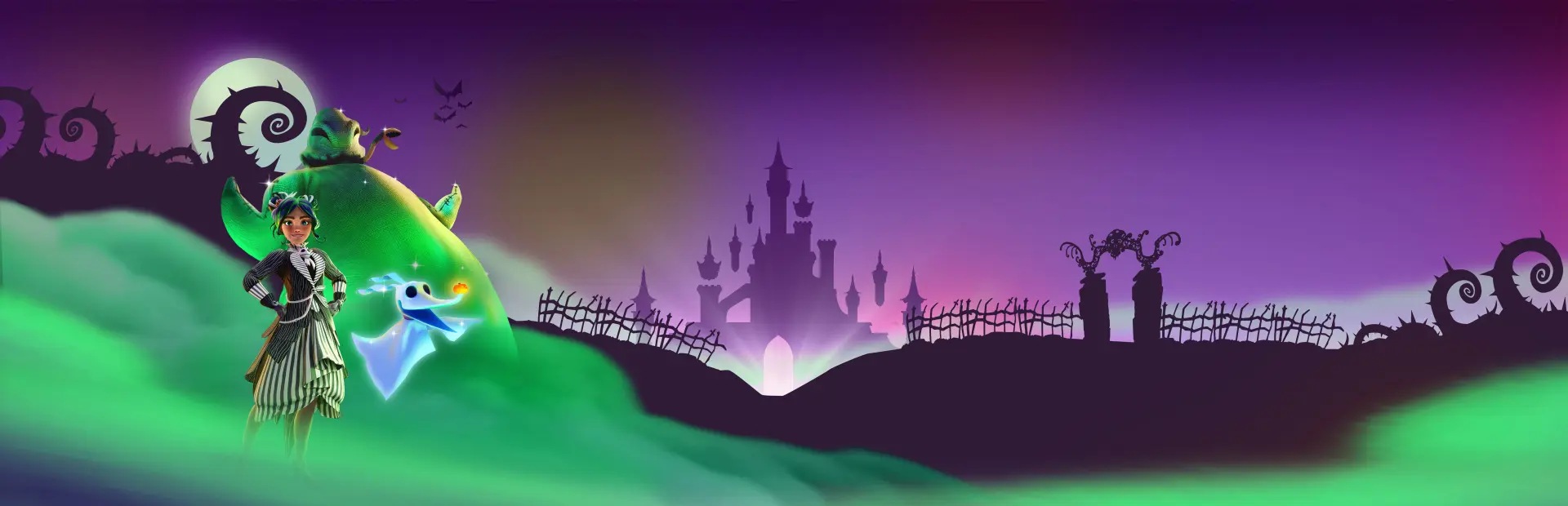
Once an idyllic land, Dreamlight Valley was a place where Disney and Pixar characters lived in harmony, until the Forgetting. Night Thorns grew across the land and severed your wonderful memories tied to this magical place. With nowhere else to go, the inhabitants of Dreamlight Valley retreated behind locked doors in the Dream Castle, awaiting your return. Now it's up to you to discover the stories of this world and bring the magic back to Dreamlight Valley!
Garden with WALL•E, cook with Remy or kick back and fish with Goofy. Get in touch with your emotions with Joy and Sadness and shrink down to toy-size to meet Woody and Buzz Lightyear! What better way to collect, craft, and rebuild the Valley than with a friend. From courageous princesses such as Cinderella and Jasmine to nefarious villains like Scar or Ursula, every Dreamlight Valley resident brings their own story arc, quests, and rewards. Build the perfect Valley for you, with a fully customizable layout, creative landscaping, and thousands of decorative items inspired by Disney and Pixar. Bring out your inner princess, witch, or embrace a dreamy cottagecore fantasy! Assemble unique outfits and decorate your home with thousands of fantastic items to express your creativity.
Screenshots
System Requirements
- OS Windows 10
- Processor Intel Core i3-540 or AMD Phenom II X4 940
- Memory 6 GB RAM
- Graphics NVIDIA GeForce 9600 GT, 512 MB or AMD Radeon HD 6570, 1 GB
- DirectX Version 10
- Storage 26 GB available space
- Additional Notes Requires a 64-bit processor and operating system
- OS Windows 10
- Processor Intel Core i5-4690 or AMD Ryzen 3 1300X
- Memory 6 GB RAM
- Graphics NVIDIA GeForce GTX 960, 4 GB or AMD Radeon R9 380, 4 GB
- DirectX Version 11
- Storage 26 GB available space
- Additional Notes Requires a 64-bit processor and operating system
How to Install
Download Disney Dreamlight Valley (23.24 GB) using the download button.
Extract the archive with WinRAR or 7-Zip.
Open the extracted game folder and run
ddv.exe.
Game Data & Settings
Change Language: Edit the file located at
steam_emu.ini.Save Data Location:
AppData\LocalLow\Gameloft\Disney Dreamlight Valley
You might also like

Comments
Sign in to join the conversation.
No comments yet. Be the first to say something.